Email list segmentation sounds like something only big companies — the ones with a marketing team and a 50,000-person list — need to worry about. But really, it's just sending slightly different emails to smaller groups of your list; and for a service provider or course creator, it might be the easiest way to get better results from the emails you're already sending.
Most people skip it because they assume segmenting means writing a completely separate email for every group — and who has time for that?! So this post is the no-overwhelm version: what segmentation actually is, the segments worth building for your specific business, and where it pays off the most (spoiler: your next launch).
What is email list segmentation?
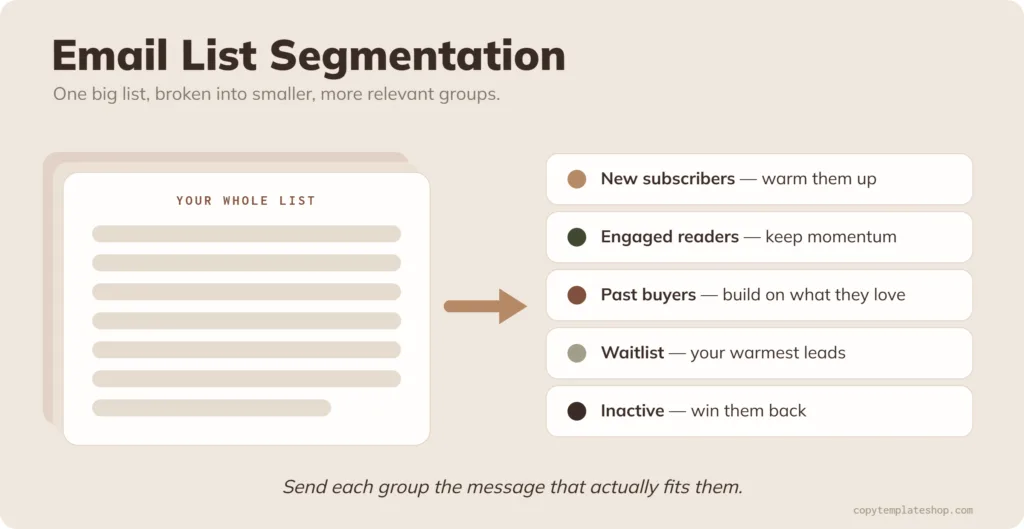
Email list segmentation is the practice of breaking your one big email list into smaller groups based on what people have done or what they care about, so you can send each group a more relevant message.
I like to think of it like Russian nesting dolls. You start with one big list, then break it into smaller, more specific groups, and you can keep going smaller from there. The more tailored the message, the better it tends to land.
Do you actually need it if your list is small?
Short answer: yes. Segmentation has far more to do with relevance than with how big your list is. Even a 200-person list isn't one single type of person. You've got brand-new subscribers who barely know you, long-time readers who've never bought, and past buyers who already love your stuff. Sending all three the exact same email means it's only really right for one of them.
There's a deliverability bonus, too. When you send more relevant emails, more people open and click — and email platforms reward that engagement by landing you in more inboxes. So segmentation quietly helps everyone on your list see your emails, not just the segment you tailored to.
The myth that stops people: you don't have to rewrite every email
The good news: segmenting doesn't mean writing a whole new email for every group. Most of the time, changing the subject line or even just the first couple of lines is enough to make a real difference.
There are really two ways to do it, and there's a time and a place for both:
- Separate segment sends. You send a genuinely different email to each group.
- Conditional content. You send one email, but certain blocks show or hide depending on which segment someone's in.
Here's my rule of thumb for which to use:
Reach for conditional content when the main message, the tone, and the point you need to land are basically the same for everyone — but there's one bit of info only one group needs. Say you're emailing buyers and non-buyers: non-buyers might need to hear about your refund policy, while past buyers don't (the trust is already there). Or you want to add a paragraph reminding past buyers about the product they already own. That doesn't need a whole separate email — it needs a paragraph or two, and conditional content handles it perfectly.
Send to separate segments when the messaging is genuinely different and a meaningful chunk of the email — more than a couple of paragraphs — needs to change. At that point you're not tweaking one email, you're writing two, and that's okay.
Simple ways to segment your list
You don't need anything fancy to start. Here are some of the easiest, most useful segments, and what each one is good for:
| Segment | Who's in it | What to send them |
|---|---|---|
| Past buyers vs. non-buyers | People who've purchased vs. people who haven't | Buyers: build on the value they've already gotten. Non-buyers: more trust-building |
| Waitlist | People who raised their hand for a specific offer | The warmest launch emails — they've already shown intent |
| Engaged vs. inactive | Recent openers/clickers vs. people who've gone quiet | Engaged: keep momentum. Inactive: a re-engagement angle |
| Webinar / challenge attendees | People who showed up vs. those who didn't | Reference what they learned; skip that for everyone else |
| Self-identified | People who told you who they are (often via a link click) | Tailored by type — e.g. service providers vs. course creators |
Most of this runs on tags and/or segments, depending on your email service provider. You tag people based on what they do (downloaded this freebie, clicked that sales page, bought that product), and then you build segments out of those tags. Tag once, slice it however you need later.
It's worth knowing that some email platforms handle this far better than others. Tools like Drip and Kit are built for exactly this kind of tagging and segmenting and can even pull together segments automatically, so you can get really granular if you want to. Others, like Flodesk, keep things simpler — you can still segment, you just won't have as many options to play with. One isn't better than the other; it comes down to how much segmenting you actually plan to do.
The segments I actually run in my business
People always want to know what this looks like in practice, so here are the real segments and tags I keep in my own business. Steal whatever's useful:
Segments I have set up:
- Purchased from me in the last 30 days
- Cold subscribers — with degrees of cold (haven't opened in 60 days, and a separate one for 90+ days)
- Downloaded a specific freebie but never bought the product promoted inside it
- Owns any freebie of mine
- Came from paid traffic (ads) — so I can compare how long they stick around and whether they buy, versus people who found me organically
- Has ever bought any paid product
Tags I lean on (and build segments from):
- A tag for each product, so I can group, say, all my sales-page-template buyers together
- Activity tags — clicked a sales page or a promo email
- Went through a specific funnel and either did or didn't buy
- Finished my welcome sequence
- Opted out of a particular sequence
- Was cold, went through my re-engagement sequence, and re-engaged
- Collaboration tags — which collab someone came from, and whether they were already on my list beforehand
You don't need all of this on day one. I built it up over time. But it shows you how far "slightly different messages to smaller groups" can stretch once you're comfortable.
Recommended segments to build, by business type
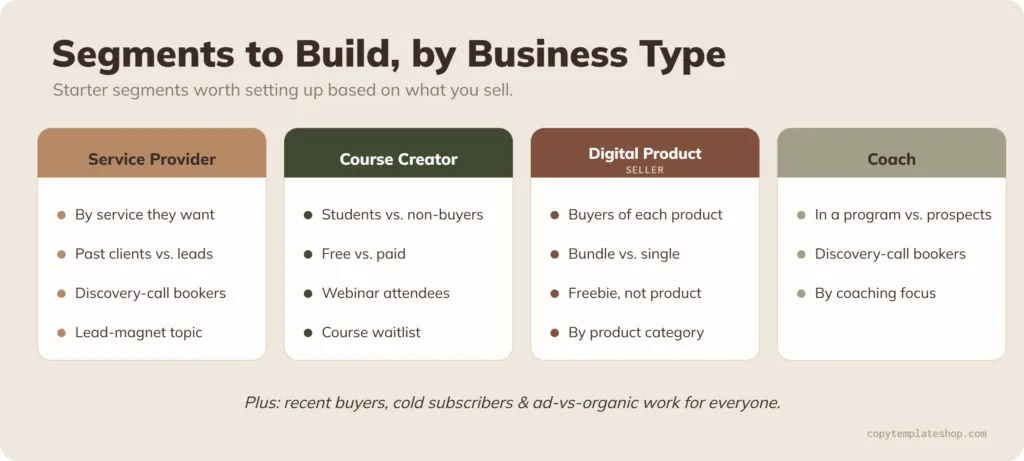
If you're not sure where to start, here are a few starter segments worth building based on what you sell:
If you're a service provider:
- Leads by which service they inquired about or showed interest in
- Past clients vs. leads who haven't worked with you yet
- People who booked (or didn't book) a discovery call
- Downloaders of a service-related lead magnet
If you're a course creator:
- Students of a specific course vs. people who haven't bought it
- Free vs. paid subscribers
- Webinar or challenge attendees
- People who joined a course waitlist
If you're a digital product seller:
- A tag (and segment) for each product's buyers
- Bundle buyers vs. single-product buyers
- Owns a freebie but not the paid product it points to
- Buyers grouped by product category or theme
If you're a coach:
- People in a specific program vs. prospects
- Discovery-call bookers
- Interest in a particular coaching focus
On top of those, the engagement segments (recent buyers, cold subscribers, ad vs. organic) work for everyone, no matter what you sell.
Which tool — and how to set it up
Setup is mostly tagging people as they come in or interact (by entry point, freebie, or behavior) and building segments from those tags. Almost every email platform can do the basics, and if yours can't do anything advanced, you can still segment manually — even simple segmentation makes a difference.
One of the easiest ways to start gathering segment data from day one is to let new subscribers tell you who they are. My Welcome Sequence Email Templates build that self-identification step right into your welcome emails, so you're segmenting from the very first hello.
For the record, I use Drip — but I'm not going to tell you it's the right tool for you, because the best email platform genuinely depends on your business, your budget, and how you like to work.
If you're trying to figure out which email tool actually fits you, Dama Jue's Email Service Matchmaker walks you through it and points you to the right one for your situation. (Heads up — that's an affiliate link, so I may earn a small commission if you grab it, at no extra cost to you.)
Where segmentation pays off most: your launch
If you only segment in one place, make it your launch. This is where a little extra targeting turns into real money — and real data.
A real example from my own business: I recently launched my website copywriting course, Strongly Brewed Websites, with a pre-launch webinar. Throughout the launch, I segmented my emails so I could reference the webinar for people who'd signed up for it — and take a completely different angle for people who hadn't.
When I did my launch debrief afterward, the segmenting showed me something I couldn't have seen otherwise: the people who'd attended the webinar converted at a much higher rate. That one insight reshaped my whole evergreen strategy for that offer. Now my main goal is simply getting people to that webinar, because once they're there, they're far more likely to buy.
And a client example: I write launch emails for a client basically every month, and we always segment. On a recent launch, we split people who'd joined her list in the last 30 days into their own sequence — brand-new folks need more connection and trust-building first. Everyone else got a different sequence, and within that we segmented again into past buyers and non-buyers.
For past buyers, we leaned on reminding them of the value they'd already gotten from us. For non-buyers, we focused on trust — basically, here's why you should trust me enough to pay me to help you do the thing I'm already helping you do for free. Every single time we do this, her launches perform better, because the message actually fits the person reading it — and we walk away able to spot patterns between new buyers, repeat buyers, and non-buyers.
That's the magic of segmenting a launch: better conversions now, and better information for next time.
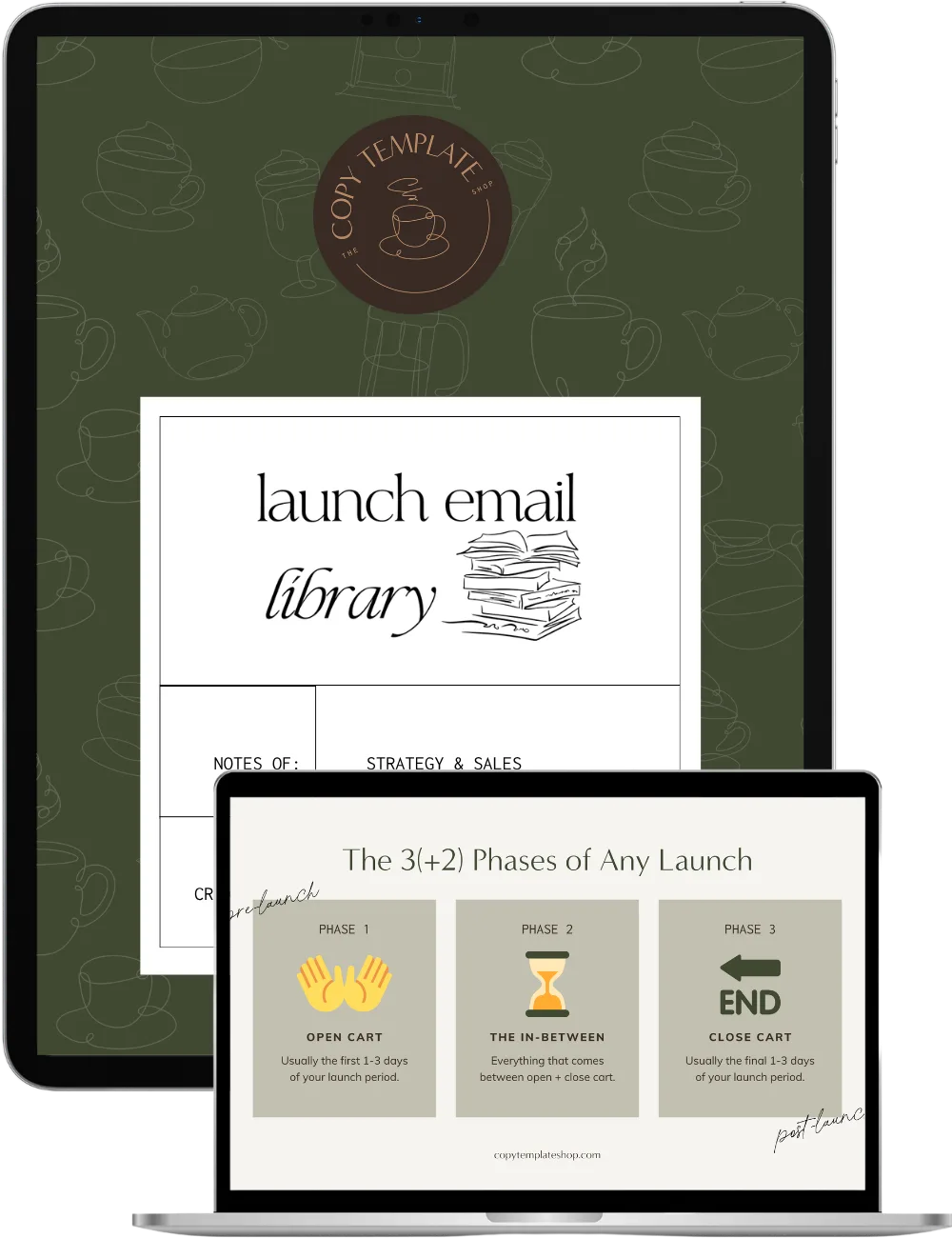
This is exactly what the Launch Email Library is built for — it gives you the launch emails and the segmenting strategy, so each group on your list gets the right message at the right moment without you starting from a blank page.
When segmentation isn't worth it
I don't want you over-complicating this. Segmenting is almost always worth it, as long as you have something different to say to each group. If you genuinely don't, or the segment doesn't change what that person needs to hear in the moment, don't bother.
And please don't let segmentation become the reason you don't do something. If you're putting off a launch because you're not sure how to split this group from that group — just launch. Taking action beats perfect segmentation every time. You can get fancier later.
Frequently asked questions
What's the difference between segmentation and personalization?
Segmentation decides who gets a particular email (and who doesn't), based on a shared trait or behavior. Personalization tweaks an email for the individual — like using their first name. You'll often use both: segment the group, then personalize within it.
Do I need segmentation if my list is small?
Yes. It comes down to relevance more than size. Even a small list contains new subscribers, loyal readers, and past buyers who all need slightly different messages. Start with one simple split — like buyers vs. non-buyers — and grow from there.
How many segments should I have?
As many as you have different things to say — no more. Don't create a segment you'll never message differently. Most people do well starting with two or three (new vs. established, buyers vs. non-buyers) and adding more over time.
What's the easiest way to start segmenting?
Tag people based on how they joined your list (which freebie, which campaign), then build a couple of simple segments from those tags. The other easy win: let subscribers self-identify by clicking a link in your welcome emails.
Can I segment without fancy ESP tools?
Yes. If your platform doesn't have advanced features, you can segment manually with tags and simple filters. Even basic segmentation outperforms sending everyone the exact same thing.
Looking for more email + copy tips?
- 5 Emails to Have in Your Email Nurture Sequence
- How to Write an Opt-In Page That Actually Gets Leads
- Ignite Your Pre-Launch With a Waitlist Marketing Strategy
- Writing Launch Copy That Converts: A Step-by-Step Guide
Pin for later